How to print 75-ball bingo cards
- Choose how many cards. One per player plus a few spares. The default is 30.
- Pick a print style. Classic, Large print or Color columns all work for numbers. Large print is easiest to read across a table.
- Create the PDF. Press Create cards, then Download PDF. The last page is a call sheet with every number from 1 to 75.
- Call the game. Use the number caller on a laptop or TV, or cross numbers off the call sheet by hand.
Options explained
- Print style. Classic has a dark B-I-N-G-O header. Color columns gives each letter its own color. Large print uses one card per page with bigger numbers.
- Sort numbers within each column. Off by default (numbers are in random order inside each column). On puts the smallest number at the top.
- FREE space. On by default. Turn it off for “hard way” games where every square must be called.
- Cards per page. 1, 2 or 4. Four cards fit on one Letter or A4 page for quick games.
- Card codes. Each card prints a set code and a card code. Type the card code into the caller to check a winner.
Example
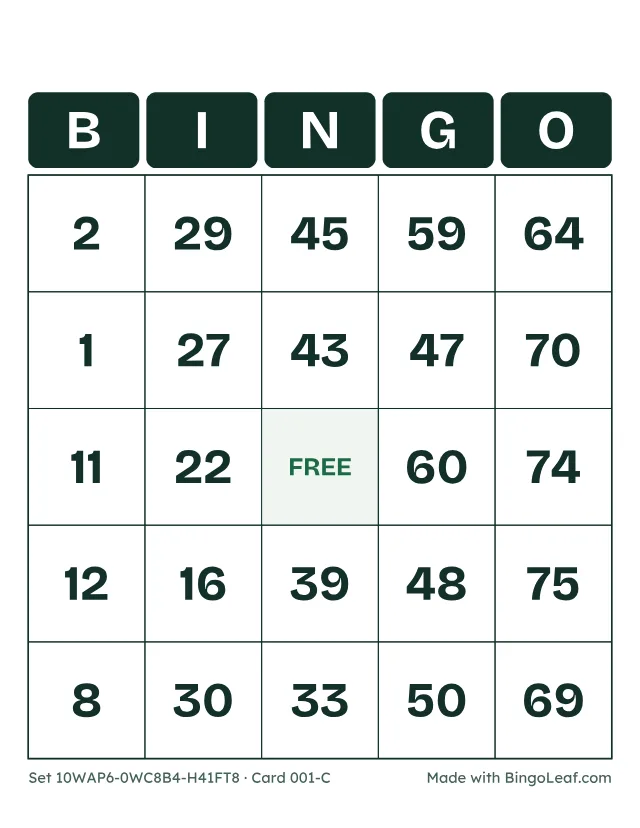
Each column draws from its own range, so every card has five numbers from 1–15 under B, five from 16–30 under I, four from 31–45 under N, five from 46–60 under G and five from 61–75 under O. Counting the order inside each column, there are 552,446,474,061,128,648,601,600,000 possible cards.
Printing tips and limits
- Up to 100 cards per PDF. For a bigger room, make a second set: the same calls work for both, and the set code printed on each card tells the caller which set to check.
- Print at 100% scale. Card stock or laminated cards can be reused with dry-erase markers.
- Need a card with your own words instead of numbers? Use the bingo card generator.