How to host virtual bingo
- Make your list. Words, numbers 1 to 75, pictures or songs. Change the grid or the title if you like.
- Press Create online game. You get a game link and a QR code.
- Share it. Paste the link into a chat or email, or show the QR code on screen. Players open it and get their own card.
- Call the game. Press Open the number caller and call as usual. Players tap squares on their phones; the BINGO button lights up when their card has the pattern.
- Check the winner. The player reads out their card code. Type it into the caller to confirm.
Options explained
- How players get cards. One link for everyone (each phone gets a random card) or a separate link for each player (up to 200 links, all different cards).
- Cards already printed from this set. Phones then get later card numbers, so they never match a printed card.
- QR code. Shown when the link is short enough to scan reliably. Show it full screen on a TV, or print it.
- Printable cards too. The same set can still be printed: press “Or make printable cards (PDF)”.
Example
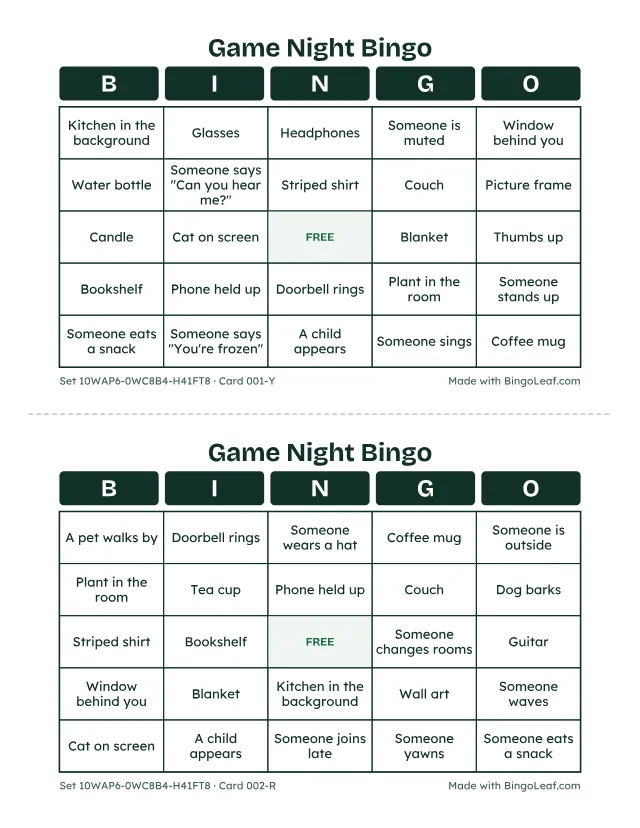
The cards above use this list for a video-call game:
- Someone laughs out loud
- A pet walks by
- Coffee mug
- Plant in the room
- Someone wears a hat
- Bookshelf
- Someone waves
- Dog barks
- Window behind you
- Glasses
- …and 30 more (40 in all)
Tips and limits
- Each phone remembers its card, so a reload or a closed tab brings back the same card and marks.
- Long lists make long links. If the QR code does not appear, share the link instead or use a shorter list.
- A player who opens the link in a different browser can get another card. For prize games, check every claim by card code.
- Prefer paper? Print the same kind of cards with the bingo card generator.