BingoLeaf

Picture bingo card generator

Choose 30 animal or food pictures, or add your own photos. Every card is different, and your images stay in your browser.

Pictures

Choose 30 animals or foods, or drop your own images here. Uploading replaces the current pictures.

PNG, JPEG, WebP or GIF. Up to 30 images, 10 MB each. Photos are resized and location metadata is removed on your device.

0 of 30 pictures

This grid needs 24 pictures with different, nonempty names. Add more pictures or choose a smaller grid.

Edit names or remove pictures

    Twemoji graphics by Twitter, Inc. and other contributors · CC BY 4.0

    5×5 grid, 30 cards, Letter paper
    More options: title, FREE space, style, cards per page

    Your lists and images stay in your browser and are not uploaded to our servers.

    Preview of card 1: Christmas Bingo, 5 by 5 gridChristmas BingoBINGOCranberryChimneyGingerbreadHolly berrySleighWrappingpaperCookiesNorth PoleNutcrackerCandycaneWreathSnowglobeFREEPoinsettiaStockingLanternSledSnowmanCandleScarfStarElfSanta hatIce skatesTinselSet 1000G4-0R40M3-0E2091 · Card 001-BMade with BingoLeaf.com

    Sample card. Paste your list to see your own.

    Card 1 of 30, set 1000G4-0R40M3-0E2091

    Saved on this device

    Saved only on this device. Clearing your browser data removes them.

    How to make picture bingo cards

    1. Pick a picture set. Use animal pictures or food pictures (30 each), or choose your own images.
    2. Check the names. Each picture has a name for the call sheet. Open “Edit names or remove pictures” to rename or drop any of them.
    3. Choose a grid and the number of cards. 3×3 or 4×4 suits young children; 5×5 makes a longer game.
    4. Create the PDF. Press Create cards, then Download PDF. The call sheet at the end shows every picture with its name.

    Options explained

    Example

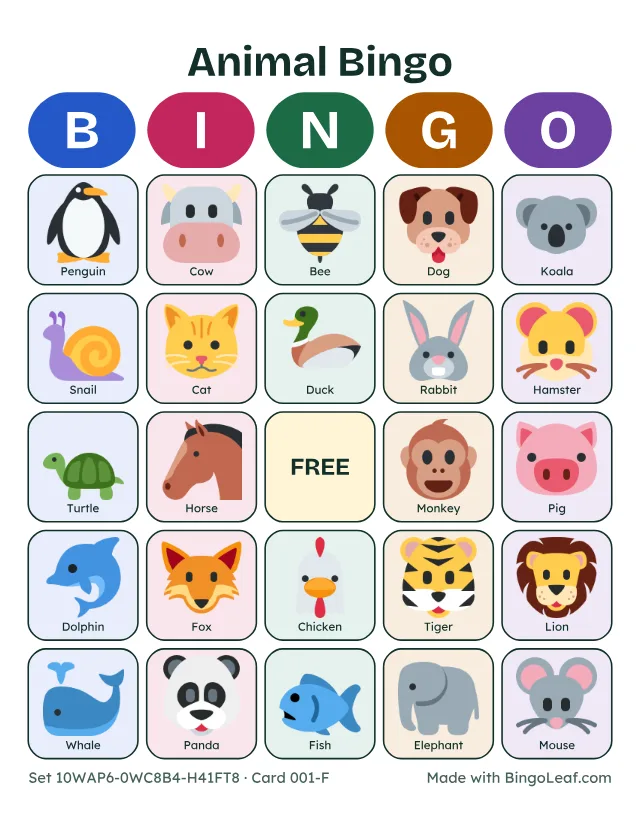
    A printable picture bingo card with 24 animal icons and names
    A 5×5 card from the 30 animal pictures, Kids style.

    Printing tips and limits

    Questions

    Who is picture bingo for?

    Children who cannot read yet, English learners, and anyone who finds pictures easier than words. Names can print under each picture to help with new vocabulary.

    Can I use my own photos?

    Yes. Add up to 30 PNG, JPEG, WebP or GIF images of up to 10 MB each. They are resized on your device and location data is removed before they go into the PDF.

    Are my photos uploaded?

    No. Your lists and images stay in your browser and are not uploaded to our servers. Pictures you add are not put into share links either.

    How many pictures do I need?

    A 5×5 card with a FREE space needs 24 pictures, a 4×4 card needs 16 and a 3×3 card needs 9. Using all 30 makes the cards more varied.

    Where do the animal and food pictures come from?

    They are Twemoji graphics by Twitter, Inc. and other contributors, used under the CC BY 4.0 license.

    Last updated November 4, 2026Your lists and images stay in your browser and are not uploaded to our servers.