How to make music bingo cards
- Paste your song list. One song per line, “Title — Artist”, or open a CSV file with title and artist columns.
- Choose what prints. Keep artist names on the cards, or turn them off so players must know the song.
- Create the PDF. Press Create cards, then Download PDF. The last page is the play order: the same songs, shuffled from the set code.
- Play the songs in that order. Play 20 to 30 seconds of each song. Players mark the title when they recognize it.
- Check winners. Ask for the card code and compare the card with the songs already played, or use the number caller with the set.
Options explained
- List format. “One song — artist per line” or “CSV: title, artist”.
- Include artist names on cards. On by default. Long titles with artists wrap and shrink to fit the square.
- Grid and cards. 5×5 with a FREE space is the default; 4×4 makes faster rounds. Up to 100 cards per PDF.
- Print style. Classic is the default; Minimal uses the least ink.
Example
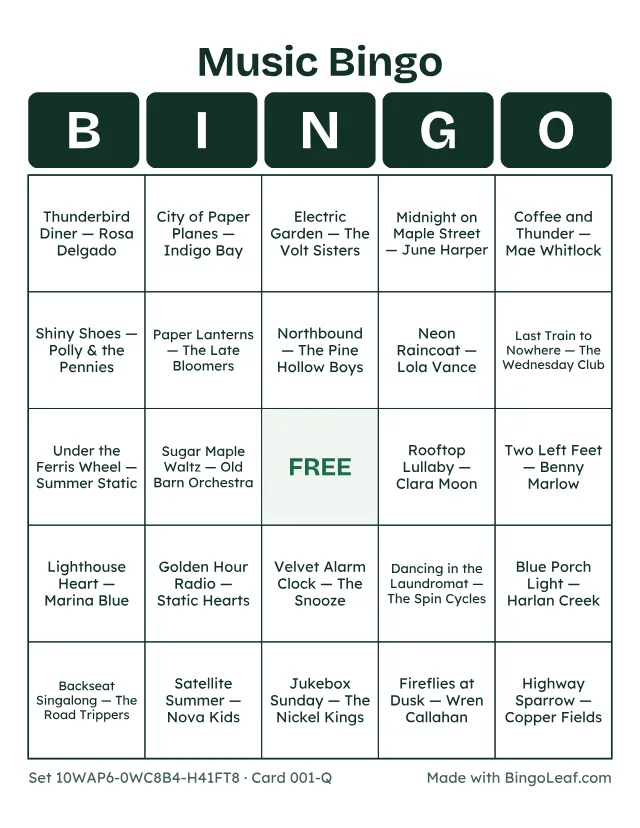
The card above was made from this list of invented songs (there are no real artists here):
- Paper Lanterns — The Late Bloomers
- Midnight on Maple Street — June Harper
- Highway Sparrow — Copper Fields
- Last Train to Nowhere — The Wednesday Club
- Neon Raincoat — Lola Vance
- Golden Hour Radio — Static Hearts
- Down by the Old Mill — Bramble & Rye
- Satellite Summer — Nova Kids
- Coffee and Thunder — Mae Whitlock
- Dancing in the Laundromat — The Spin Cycles
- …and 20 more (30 in all)
Printing tips and limits
- Long titles print in smaller type. If a square is hard to read, hide the artists or use 1 card per page.
- This site does not play music, stream recordings or sell tracks. The rules for playing music at your event depend on your venue and country; check with the venue first. In the UK see PPL PRS; in the US see ASCAP.
- Hosting at a bar or a fundraiser? Our guide how to play music bingo covers rounds, timing and how many songs to use.